


Case study · Lavanda
Reservation rescheduling
Moving a booking between unit types, in buildings with up to 1,800 rooms.
01 Context
What is Lavanda?
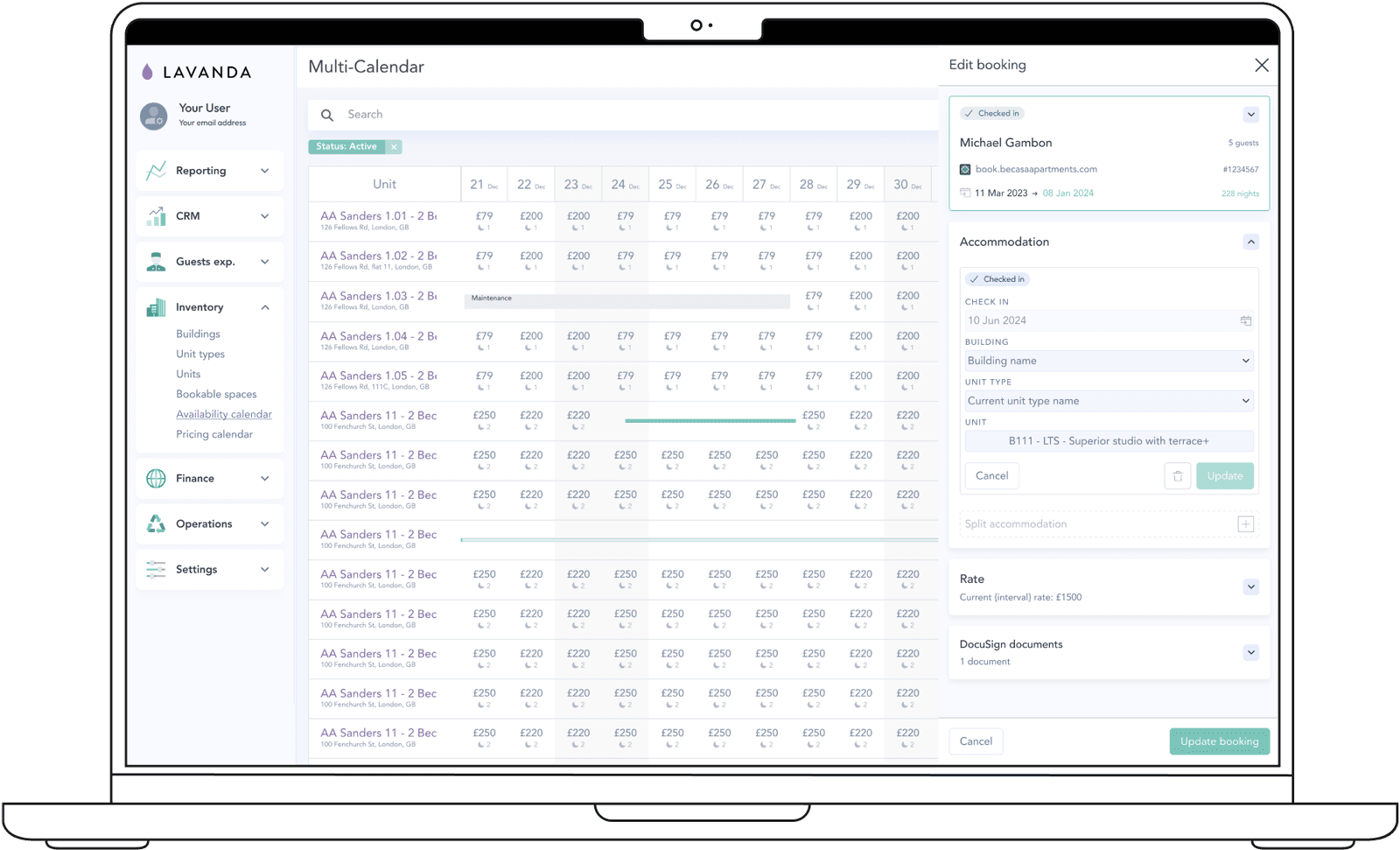
Lavanda is an award-winning property technology SaaS platform. The flagship product is cutting-edge Property Management Software (PMS) that has transformed the landscape of short-stay rentals. Due to its success, Lavanda are expanding into built-to-rent (BTR), long-stay accommodation and purpose-built student housing (PBSA).
As well as working on the PMS’s various features, I design direct booking websites that allow guests to create bookings, and built our white-labelled application portal and email templating from the ground up, all B2B2C.
02 The brief
Moving a booking should be a breeze. It wasn’t.
Imagine you’re in charge of running an 1,800-room building for both short-stay vacation rentals and long-stay homes. You’d think that a basic action like moving a booking should be a breeze, right? Well, not quite.
At Lavanda, we found ourselves facing a considerable challenge in this seemingly simple task. Let me take you through how we tackled it and transformed it for our customers.
03 Current limitations
We couldn’t move bookings between unit types.
Moving a booking from one unit to another might sound straightforward, but it came with a massive restriction. Especially during peak season, when bookings were pouring in, we were hamstrung because our system could only shift bookings between units of the same type.
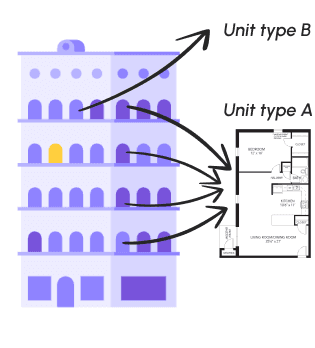
To grasp the significance, it’s essential to understand unit types. In large properties, units with identical layouts and amenities are grouped into unit types, essentially sharing a blueprint. There may be 10 units, all under the same unit type.
What’s the impact on Lavanda and their customers?
04 Design process
Starting with the people who move bookings.
I began by collecting briefs through client calls and interviews with Lavanda’s Guest Experience team and Account Managers, to get a core understanding of the needs across different verticals. A move needed to work:
- At any point in the journey
- Between unit types
- With control over pricing
- Updating all linked items such as services, check-outs, cleans and emails
Prototype one: internal testing with AMs and super users
From this I learnt that:
- Not all booking changes start from the bookings calendar, so the design needs to work when launched from multiple places in the PMS. The UI needs to be as reusable as possible.
- It needs to be clear if the booking has already started and the guest has checked in before the move happens.
- What is the state of the room they want to move the booking to? Is it clean, or still waiting for housekeeping?
Armed with this, I iterated on the design, reviewing it continuously with our Chief Product Officer, and presented the next prototype to customers.
05 Prototype two
Remote testing with five customers.
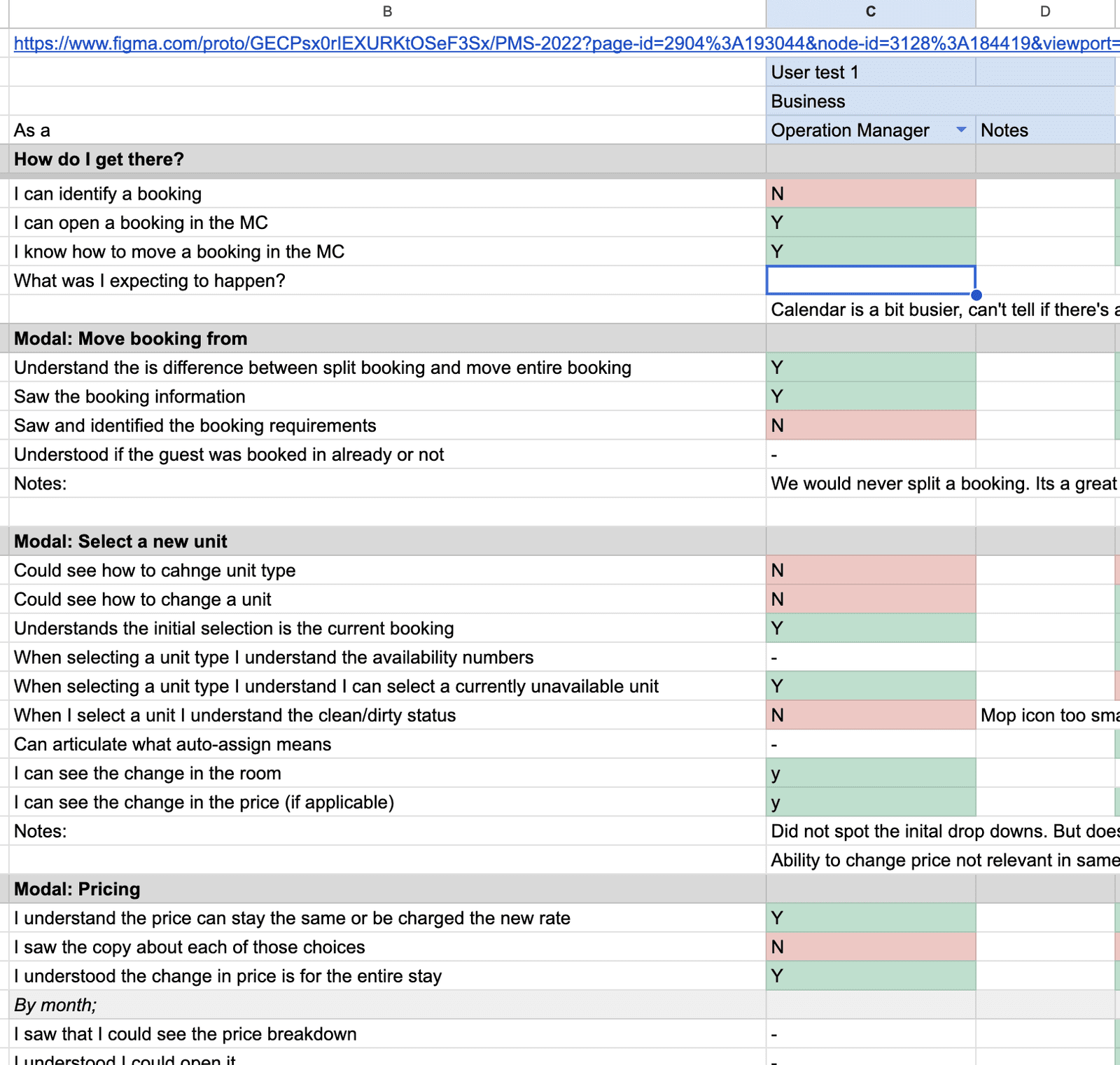
These users were more detailed in their approach, and shared concerns they’d seen less experienced colleagues run into in the past:
- More information about the destination unit: is it fit for this booking?
- Handling of payments and refunds due to pricing changes needs to be seamless.
- Moves between buildings: they often already have a unit in mind, found beforehand in the multi-calendar.
- Bad UI: 4 out of 5 users couldn’t identify how to select a new unit type, missing the pre-filled dropdown.
Why not simple drag and drop?
Everyone asked it. We had already discussed it internally, but technical limitations in our existing calendar, and a plan to rebuild it, meant investing significant time in drag and drop was beyond our current scope.
06 Iterate, iterate, iterate
A redesign.
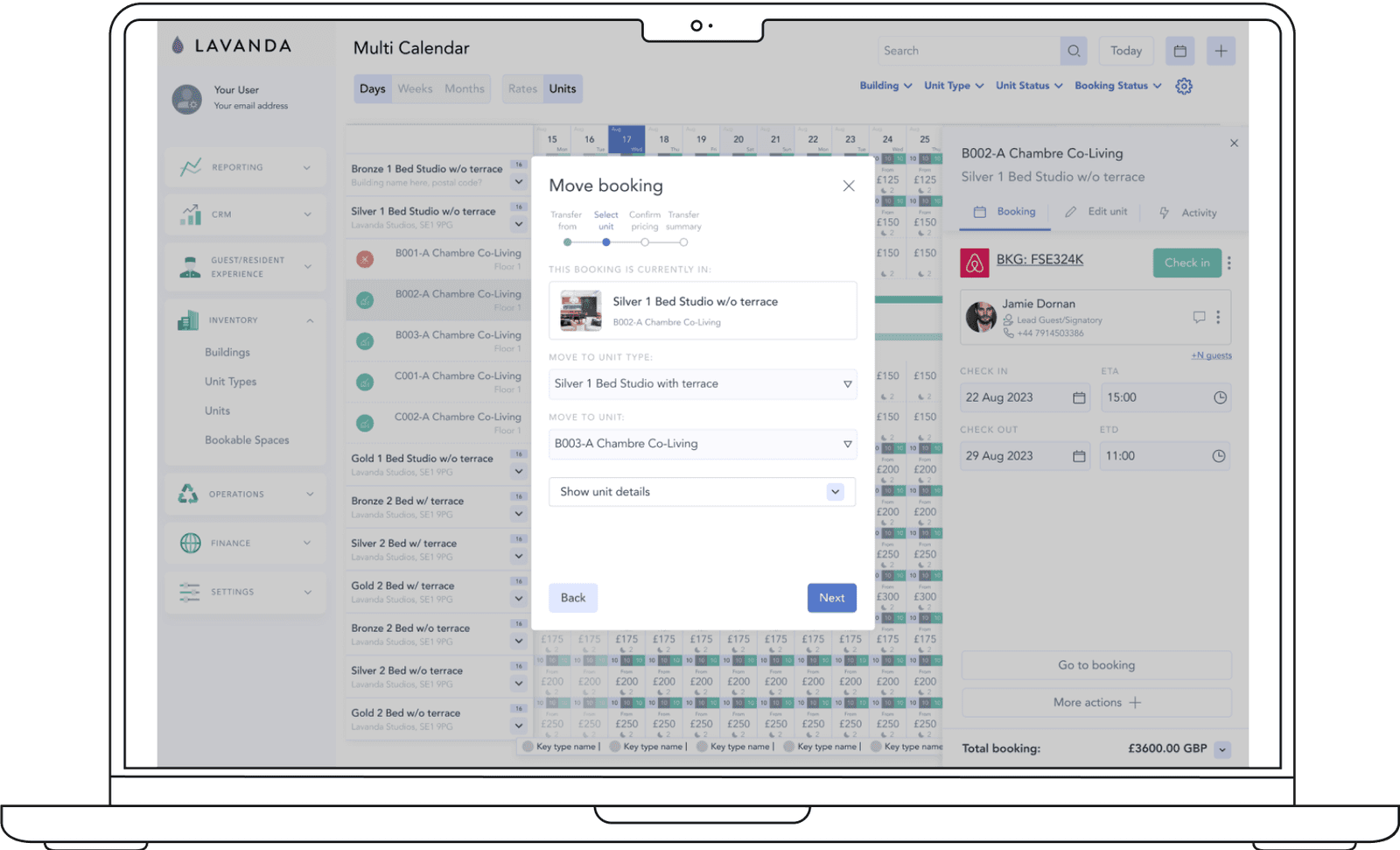
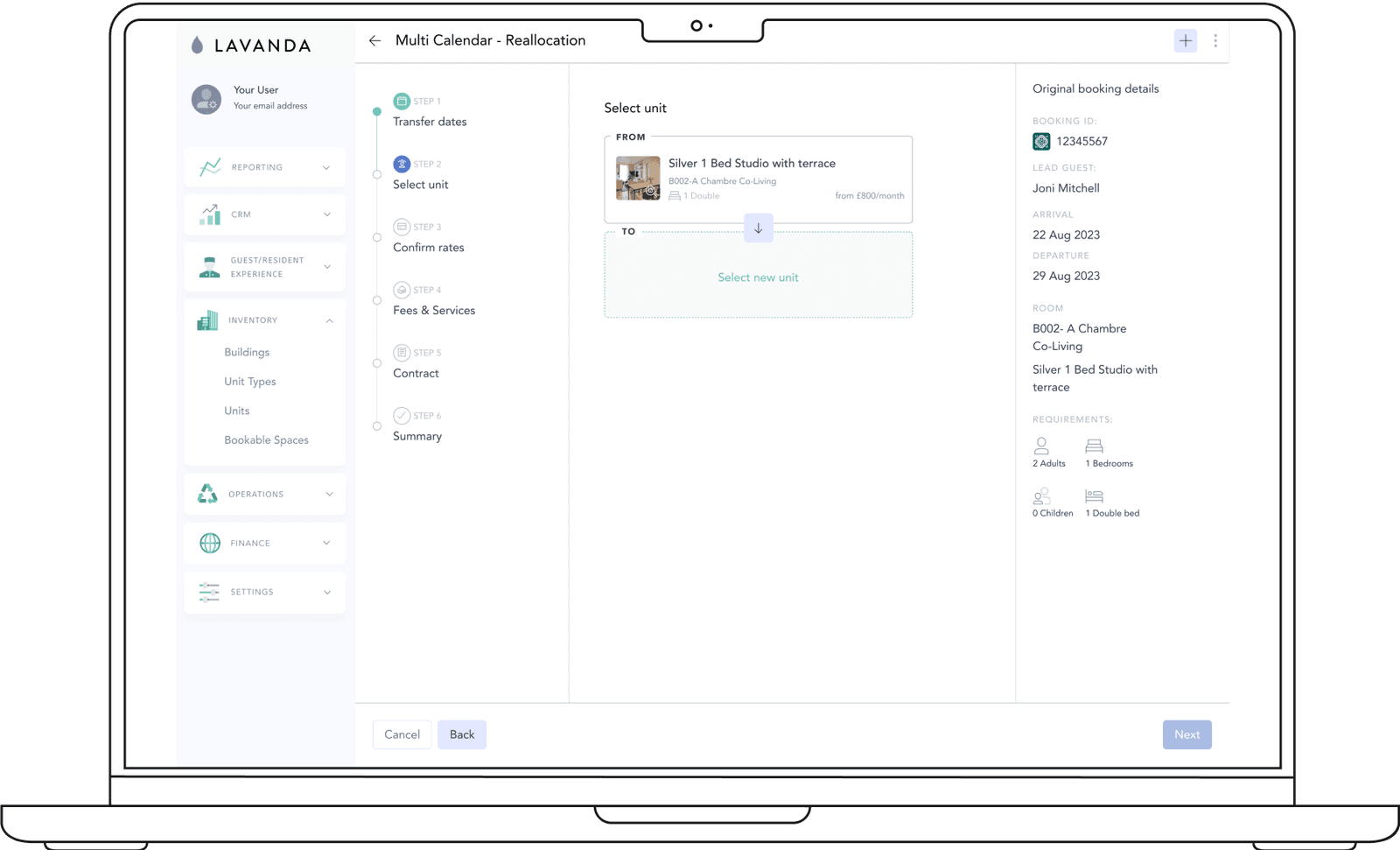
I refined the design, fixing other UI issues identified in testing, and turned it into a full-screen modal to give users full visibility of the steps and the booking, in a style that works from multiple starting points.
To solve the biggest issue, selecting a new unit type failing 4 out of 5 times, we changed from pre-filled dropdowns to asking the user to start that selection from scratch.
These changes achieved better results in testing but, in line with our evolving design system and mobile-first principles, we iterated further.
07 Changing again
Compressed into a side panel.
By this point I had gone through multiple prototypes. During our squad kick-off to review the work and share what I’d learnt, we had other suggestions that still captured the learnings from previous tests.
We compressed the designs into a side panel, so it could be used easily on both mobile and desktop. It let us show useful information about unit availability when opened from the calendar, or the booking when opened directly in a reservation.
We made it feel less cluttered by using cards as a stepper to lead people through. This gave them context and a sense of length, without too high a cognitive load.
The result? A mobile-friendly, user-centred solution that gives feedback on previous decisions, allowing easy adjustments and flows that adapt to the booking.
08 Launch plan
Delivering the most value, first.
Unfortunately I left Lavanda before I could see the project materialise, but I worked closely with some of our largest customers, including Greystar, who manage almost 1,000,000 units globally, and with the engineering and product team, including the Product Manager, CPO and squad leads.
Based on the ‘golden halo’ design, we broke the launch into chunks, prioritising elements of the move into necessary, want-now and needed-later. For the first launch we stripped out changes that could already be made to a booking, such as changing pricing from a fixed date. This let the team deliver the most value to the most customers first, then gather feedback and iterate in later releases.
Some elements in the prototype depended on other teams’ features that weren’t built yet but are on the roadmap. Designing them in now means that as each becomes available, adding it to the move-a-booking flow is already part of the plan.
How we would measure success
Before we began, we gathered specific KPIs to improve, and set aside time to build help guides with the Customer Success team, as we do for all features. We expect to see: